Program Trading
Program Trading lets you define trading logic with code. When signals trigger, your strategy executes automatically without AI involvement.
Program Trading vs AI Trader
| Feature | AI Trader | Program Trading |
|---|---|---|
| Decision | AI model analyzes and decides | Code logic executes directly |
| Flexibility | High, handles complex scenarios | Medium, follows preset rules |
| Predictability | Low, AI may judge differently | High, same conditions = same results |
| Speed | Slower (waits for AI response) | Fast (direct code execution) |
| Best for | Complex market analysis | Clear rule-based strategies |
When to use which?
- AI Trader: When you need AI to analyze market conditions and handle ambiguous situations
- Program Trading: When you have clear trading rules and want fast, predictable execution
Workflow Overview
Market Data Collection → Signal Detection → Program Execution → Order Execution → AttributionCore Concepts
1. Signals and Signal Pools
Signals define "what conditions are worth watching":
- Example: CVD exceeds 1M, OI growth > 5%, Funding Rate > 0.01%
Signal Pools combine multiple signals for more reliable triggers:
- AND mode: All signals must be satisfied (stricter)
- OR mode: Any signal triggers (more sensitive)
The system uses edge triggering: triggers only once when conditions are first met.
2. Market Regime Detection
The system automatically identifies current market state:
| Regime | Meaning | Trading Suggestion |
|---|---|---|
| Breakout | Trend starting | Enter with trend |
| Continuation | Trend continuing | Hold or add |
| Exhaustion | Trend weakening | Consider taking profit |
| Absorption | Large orders absorbed | Wait and watch |
| Stop Hunt | Stop loss hunting | Wait for reversal |
| Trap | Bull/bear trap | Trade cautiously |
| Noise | No clear direction | Stay out |
Available Data in Strategies
Account Info
| Field | Description |
|---|---|
available_balance | Available balance |
total_equity | Total equity |
positions | Current positions (dict by symbol) |
open_orders | Pending orders |
recent_trades | Recent closed trades |
Trigger Info
| Field | Description |
|---|---|
trigger_symbol | Triggered symbol (e.g., BTC) |
trigger_type | Trigger type (signal / scheduled) |
signal_pool_name | Name of triggered signal pool |
triggered_signals | List of triggered signal details |
trigger_market_regime | Market regime at trigger time |
Environment Config
| Field | Description |
|---|---|
environment | Environment (testnet / mainnet) |
max_leverage | Maximum leverage limit |
default_leverage | Default leverage |
Available Functions
Get K-line Data
get_klines(symbol, period, count)- Purpose: Get historical candlesticks
- Parameters: Symbol, period (5m/15m/1h/4h/1d), count
- Returns: List of candles (time, OHLCV)
Get Technical Indicators
get_indicator(symbol, indicator, period)- Purpose: Get calculated technical indicators
- Parameters: Symbol, indicator name, period
Get Market Flow Data
get_flow(symbol, metric, period)- Purpose: Get market flow metrics
- Parameters: Symbol, metric type, time window
Get Market Regime
get_regime(symbol, period)- Purpose: Get current market state classification
- Returns: Regime type, confidence, direction, reason
Get Price
get_price(symbol)              # Get latest price
get_price_change(symbol, period)  # Get price change percentage
Built-in Technical Indicators
Moving Averages
| Indicator | Description |
|---|---|
| MA5 / MA10 / MA20 | Simple Moving Average |
| EMA20 / EMA50 / EMA100 | Exponential Moving Average |
Momentum Indicators
| Indicator | Description |
|---|---|
| RSI7 / RSI14 | Relative Strength Index |
| MACD | Moving Average Convergence Divergence (returns macd, signal, histogram) |
| STOCH | Stochastic Oscillator (returns K, D values) |
Volatility Indicators
| Indicator | Description |
|---|---|
| BOLL | Bollinger Bands (returns upper, middle, lower) |
| ATR14 | Average True Range |
Volume Indicators
| Indicator | Description |
|---|---|
| OBV | On-Balance Volume |
| VWAP | Volume Weighted Average Price |
Market Flow Metrics
| Metric | Description | Use Case |
|---|---|---|
| CVD | Cumulative Volume Delta | Buy/sell pressure comparison |
| OI_DELTA | Open Interest change rate | Capital flow direction |
| TAKER | Taker buy/sell ratio | Market sentiment |
| DEPTH | Order book depth ratio | Support/resistance strength |
| IMBALANCE | Order book imbalance | Short-term direction |
| FUNDING | Funding rate | Long/short sentiment |
Decision Output
Your strategy must return a Decision object:
| Field | Required | Description |
|---|---|---|
operation | Yes | Operation type: buy / sell / close / hold |
symbol | Yes | Trading pair |
reason | Yes | Decision reasoning |
target_portion_of_balance | For buy/sell | Balance portion to use (0.1-1.0) |
leverage | For buy/sell | Leverage multiplier |
take_profit_price | No | Take profit price |
stop_loss_price | No | Stop loss price |
Step-by-Step Guide
Step 1: Configure Signals (Optional)
If you want signal-triggered programs, first create signals and signal pools in Signal Pools.
Common monitoring metrics:
- CVD: Cumulative Volume Delta - buy/sell pressure
- OI Change: Open Interest change - capital flow
- Funding Rate: Long/short sentiment indicator
- Order Book Depth: Buy/sell pressure comparison
Step 2: Create AI Trader Account
- Go to Account Management page
- Create new account, select "AI" type
- Configure AI model and API Key
- Enter Hyperliquid private key (use testnet first)
- Enable "Auto Trading" switch
Step 3: Create Trading Program
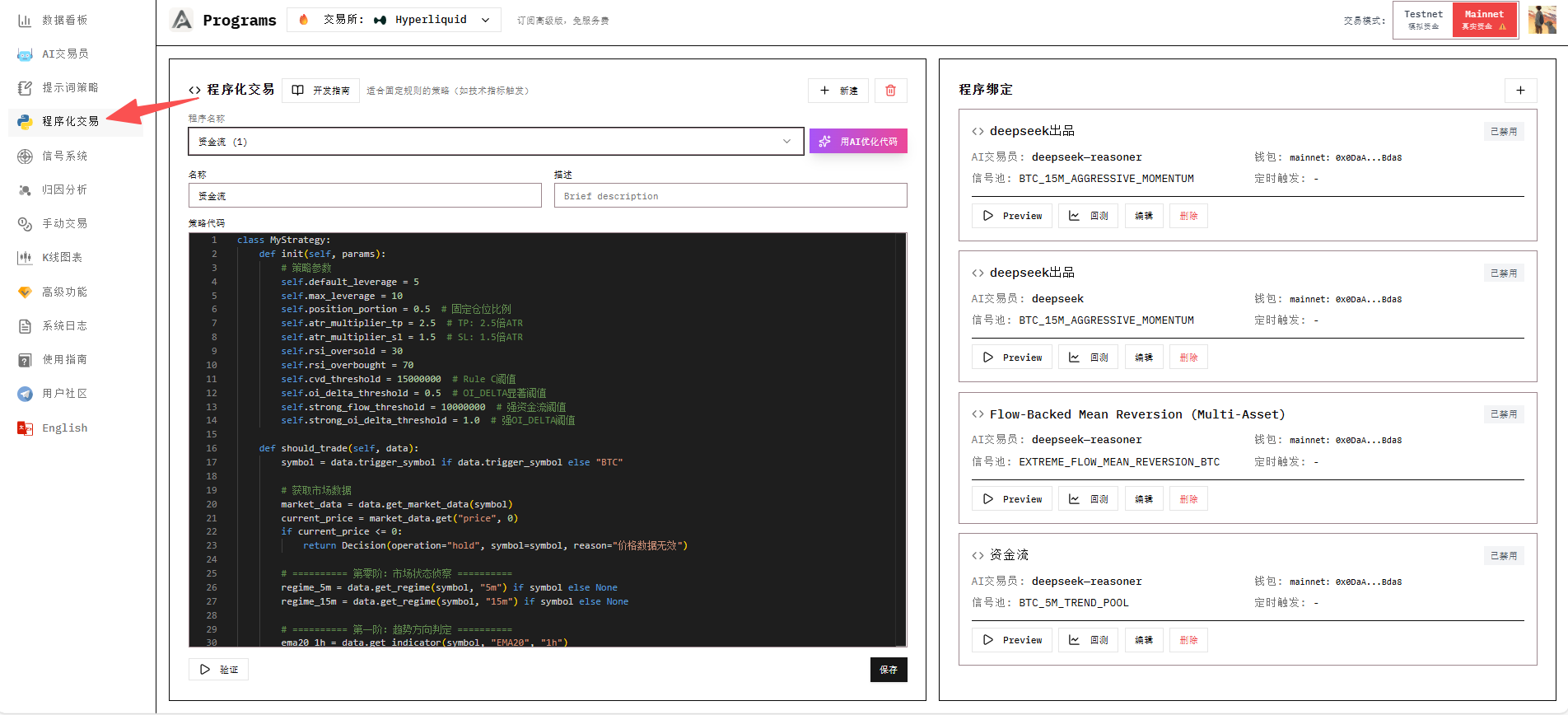
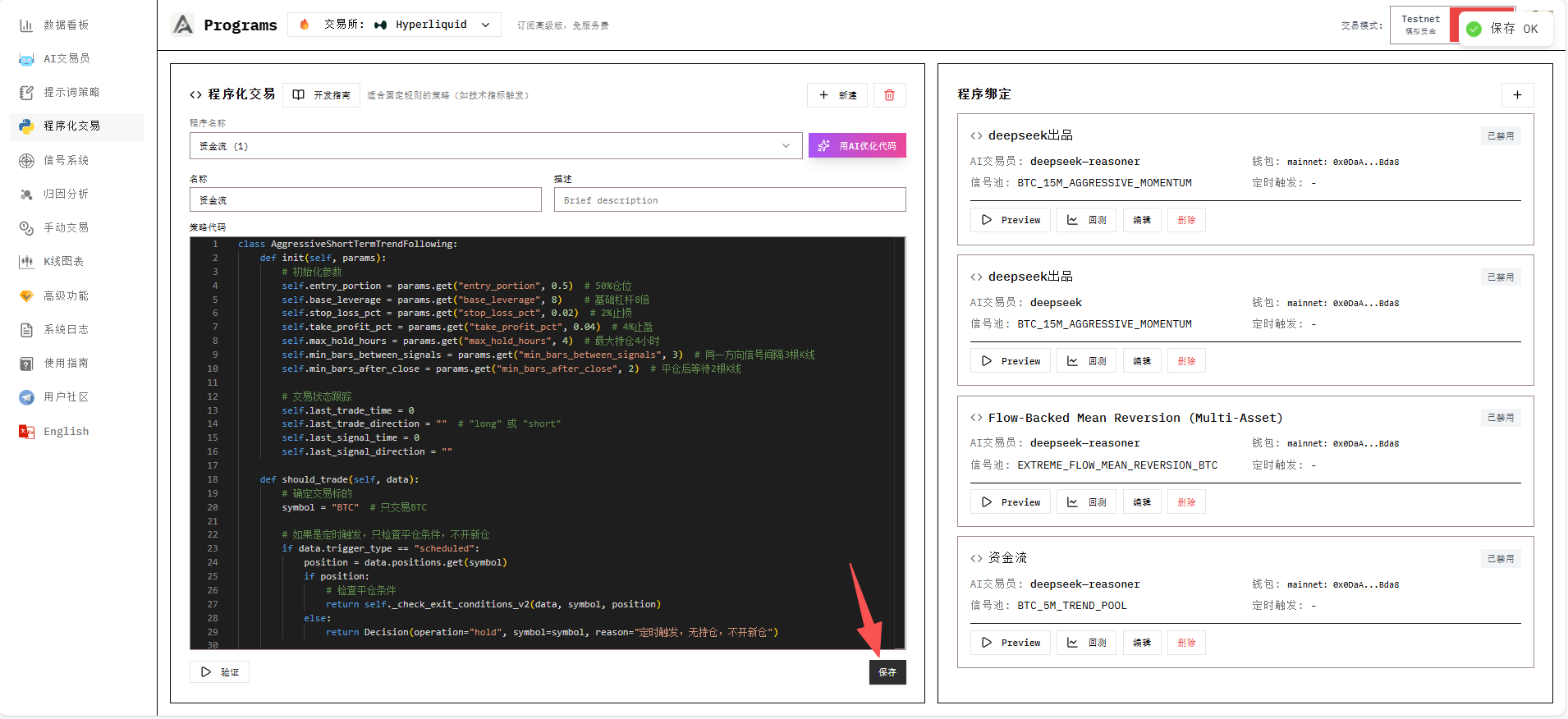
- Go to Program Management page
- Click AI Code Assistant, describe your strategy in natural language
- AI generates and tests code, outputs to editor when passed
- Click Save
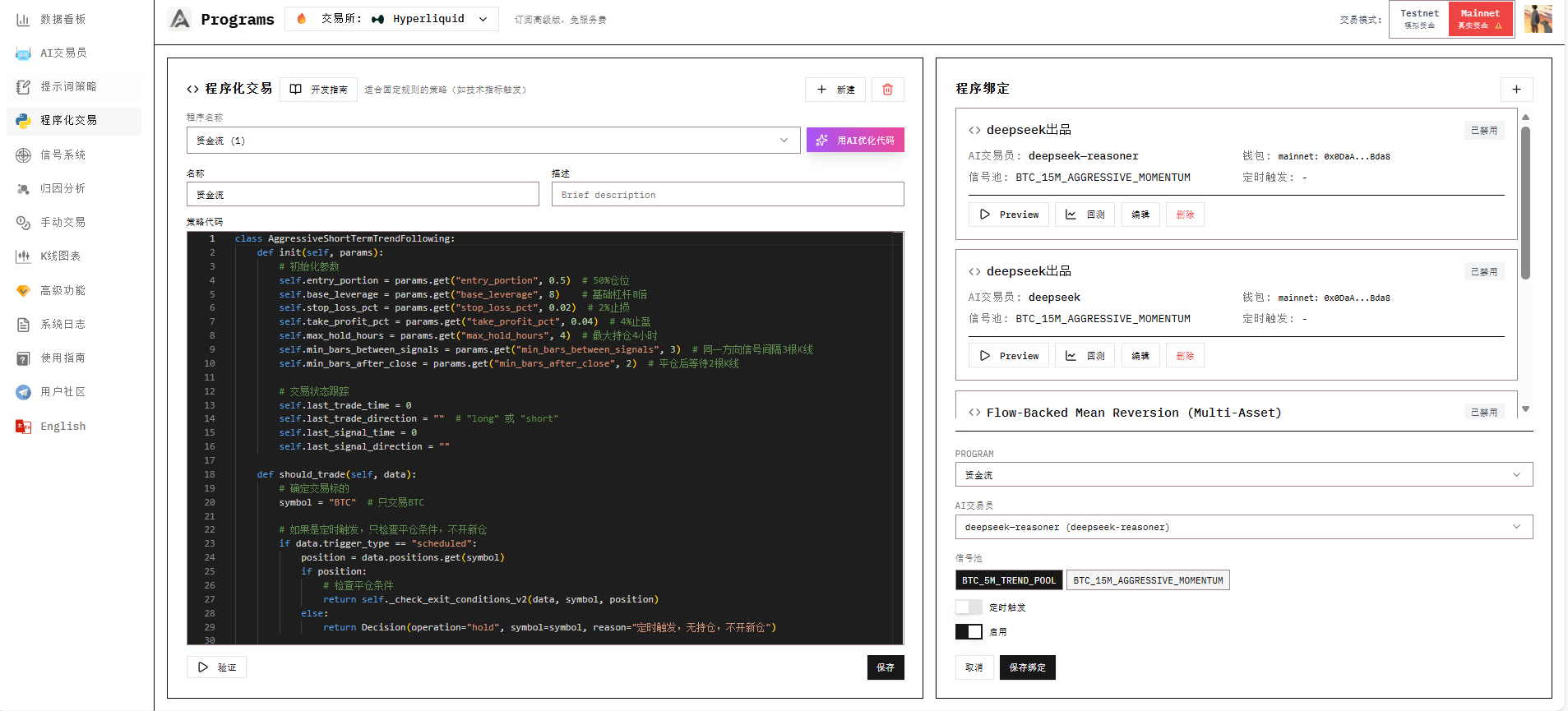
Step 4: Bind Program to Account
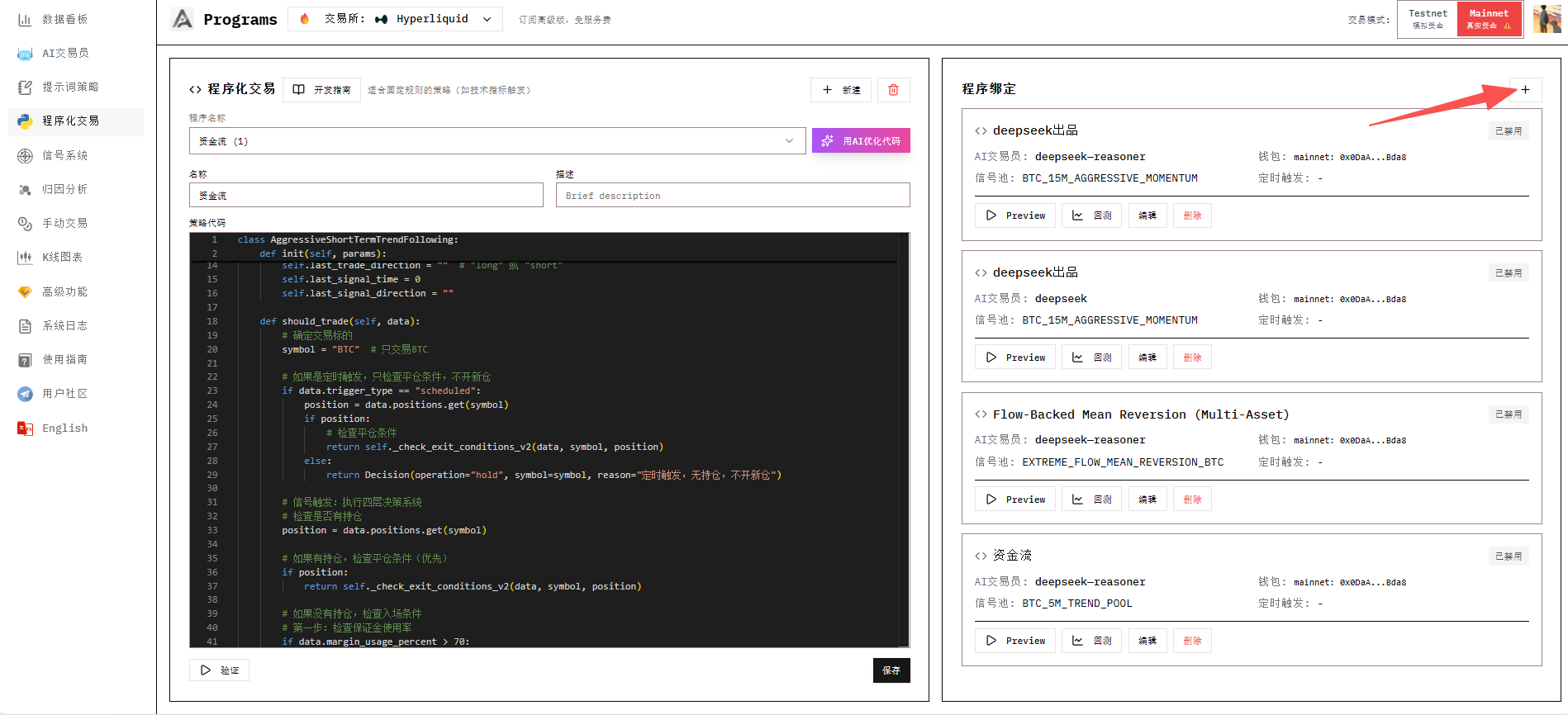
- Select the AI Trader account to bind
- Check the signal pools to trigger on
- Set scheduled trigger interval (optional)
- Click Save Binding
Backtesting
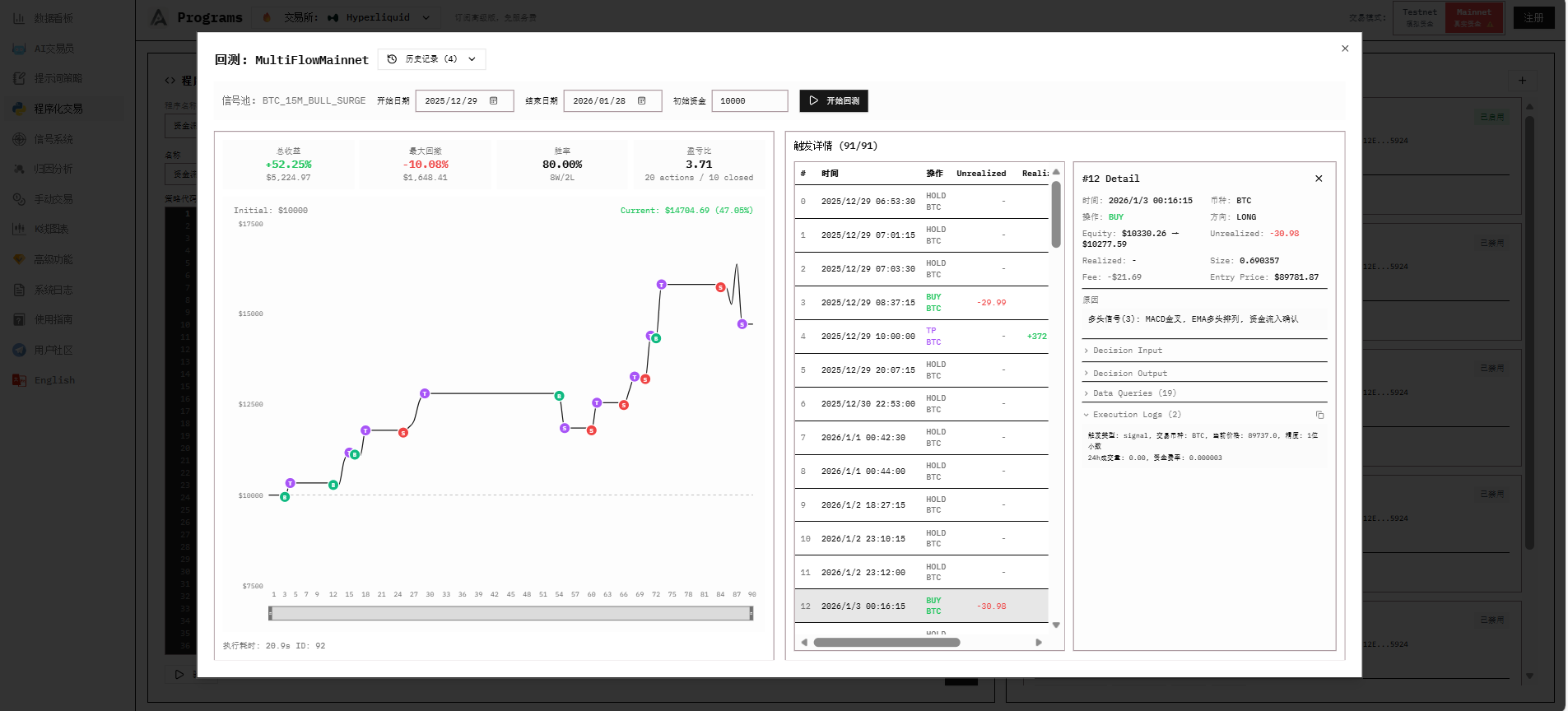
After binding, you can backtest your program to validate it.
Backtest Types
| Type | Purpose | Description |
|---|---|---|
| Program Backtest | Validate strategy code | Simulate strategy with historical K-lines |
| Signal Backtest | Validate signal effectiveness | Check historical trigger patterns |
How Backtesting Works
Load historical K-line data
    ↓
Iterate from candle #50 onwards
    ↓
Build MarketData for each candle (only sees current and past data)
    ↓
Execute strategy code, get Decision
    ↓
Simulate trade execution (calculate fees, update virtual positions)
    ↓
Output backtest results
Data Requirements
Backtesting requires historical data. If the system wasn't running during a period, there's no market flow data for that time, making backtest results inaccurate. Keep the system running 24/7 or deploy to a server.
Backtest Result Metrics
| Metric | Description |
|---|---|
| Total Trades | Number of open/close trades |
| Win Rate | Percentage of profitable trades |
| Total PnL | Cumulative profit/loss |
| Max Drawdown | Maximum equity decline from peak |
| Sharpe Ratio | Risk-adjusted return |
| Equity Curve | Account value over time |
Monitoring
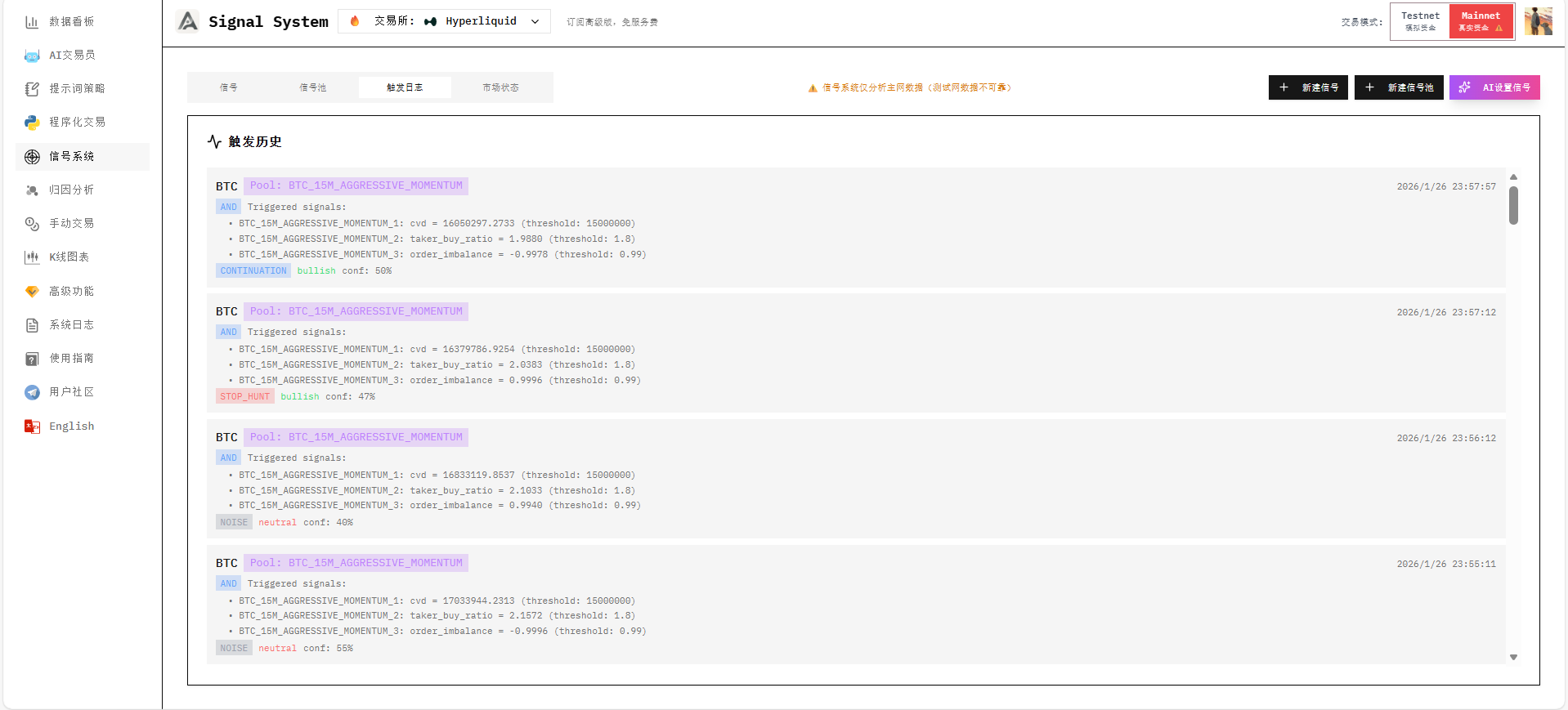
View Execution Logs
Check detailed trigger records in the Signal System page:
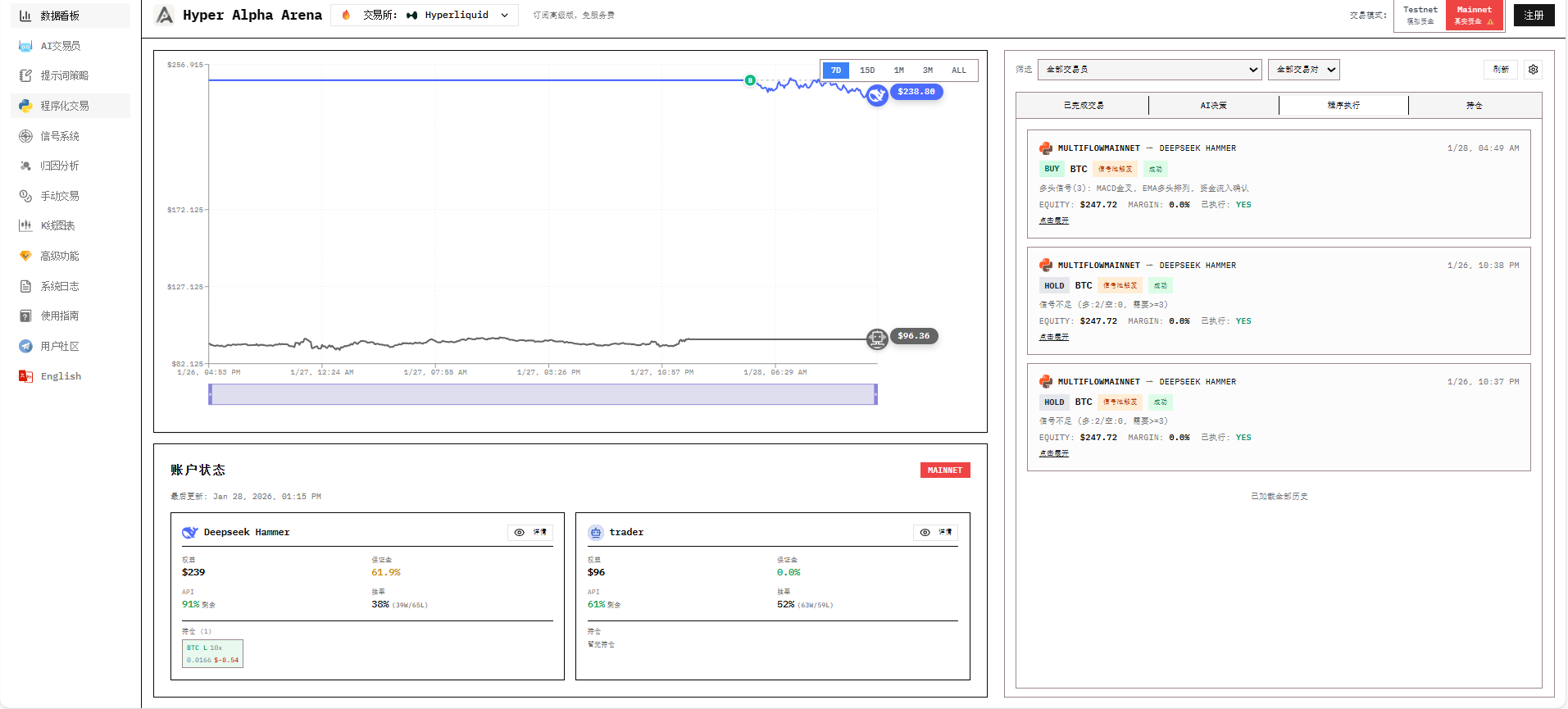
View Positions and Assets
Monitor real-time positions, PnL, and asset curves in the Dashboard:
Best Practices
- Test before live trading: Validate all strategies on testnet first
- Control position size: Don't use too large a portion per trade
- Use reasonable leverage: Choose leverage based on strategy characteristics
- Regular review: Analyze strategy performance through execution logs
- Diversify risk: Run multiple accounts with different strategies
Next Steps
- Dashboard & Monitoring - Monitor trading performance
- FAQ - Common questions and solutions