Installation & Deployment
This guide will help you install and deploy Hyper Alpha Arena on your local computer.
Note
The installation process requires a stable network connection to access GitHub and Docker Hub.
Prerequisites
1. Install Docker Desktop
Docker is required to run this project. Visit the Docker website to download and install.
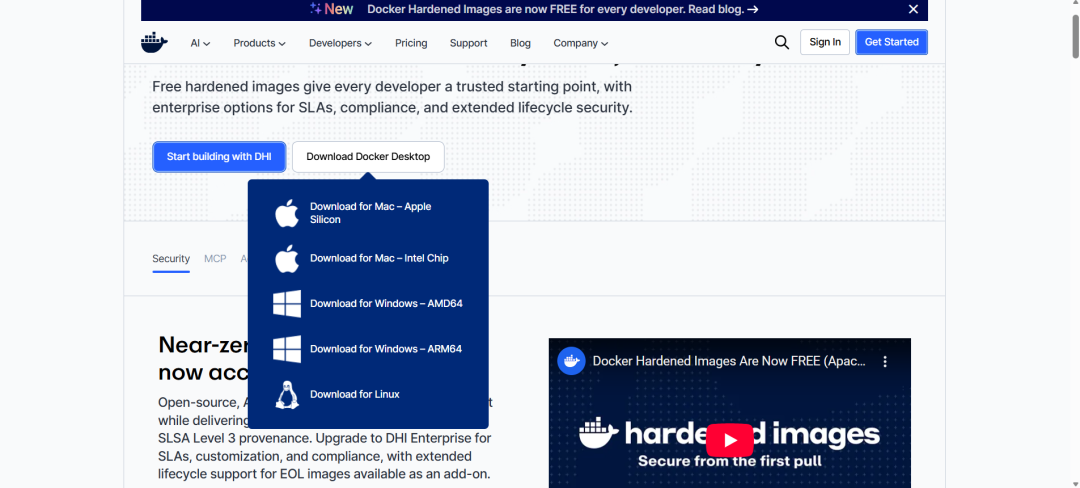
Choose the version that matches your operating system. During installation, keep the default options and click "Next" through the wizard.
2. Install Git
Git is used to clone the project code from GitHub. Visit the Git website to download and install.
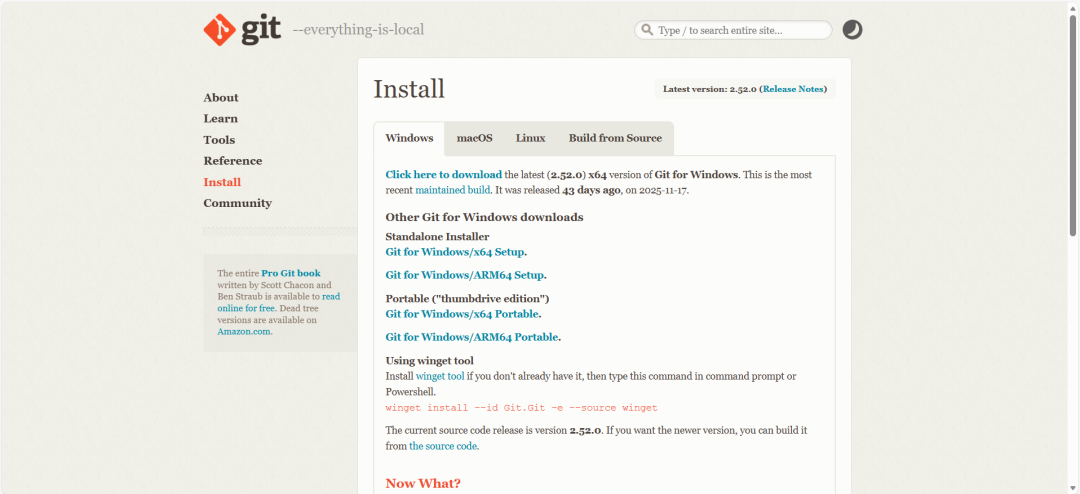
Similarly, choose the version for your operating system and install with default options.
3. Check Your System Version
If you're unsure about your system version, you can check it in your computer settings:
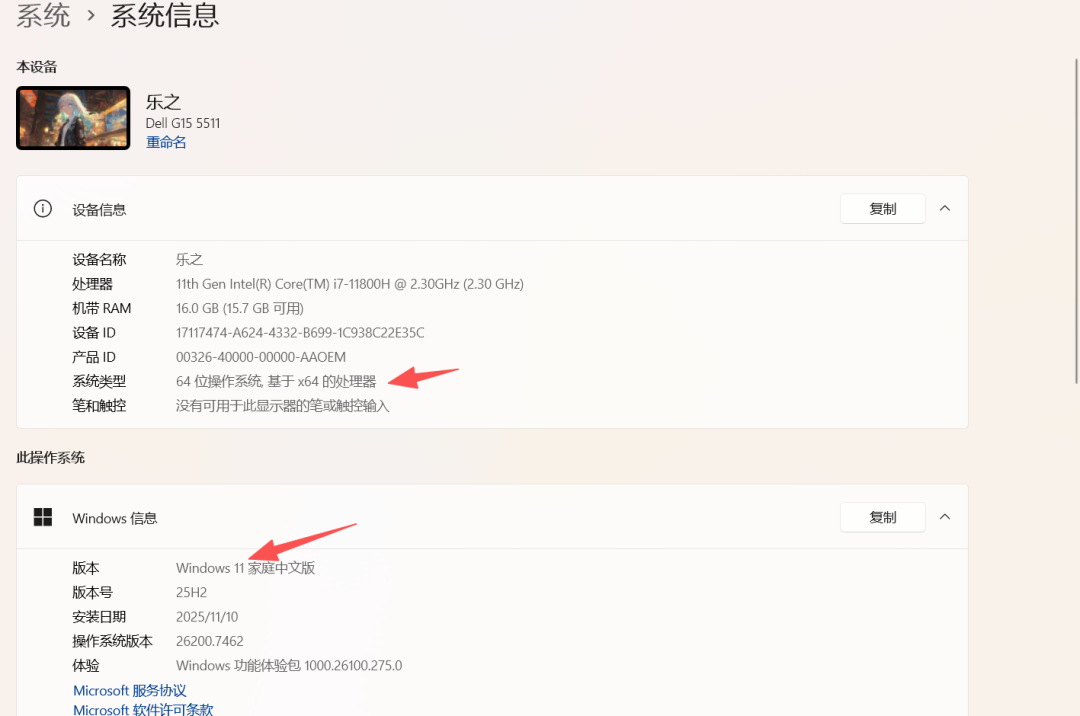
For example, if your system shows Windows x64 processor, you should choose:
- Docker: Windows AMD64 version
- Git: 64-bit Git for Windows Setup version
Install the Project
1. Open Command Line
- Windows: Press
Win + R, typecmd, and press Enter - Mac: Open the "Terminal" application
2. Clone and Start the Project
Make sure Docker Desktop is running in the background, then execute these commands:
# Clone the repository
git clone https://github.com/HammerGPT/Hyper-Alpha-Arena.git

# Enter the project directory
cd Hyper-Alpha-Arena

# Start the application (recommended command)
docker compose up -d --build
About Docker Commands
docker compose: Used by newer Docker Desktop versions (recommended)docker-compose: Used by older Docker versions or standalone docker-compose
If docker compose gives an error, try docker-compose instead.
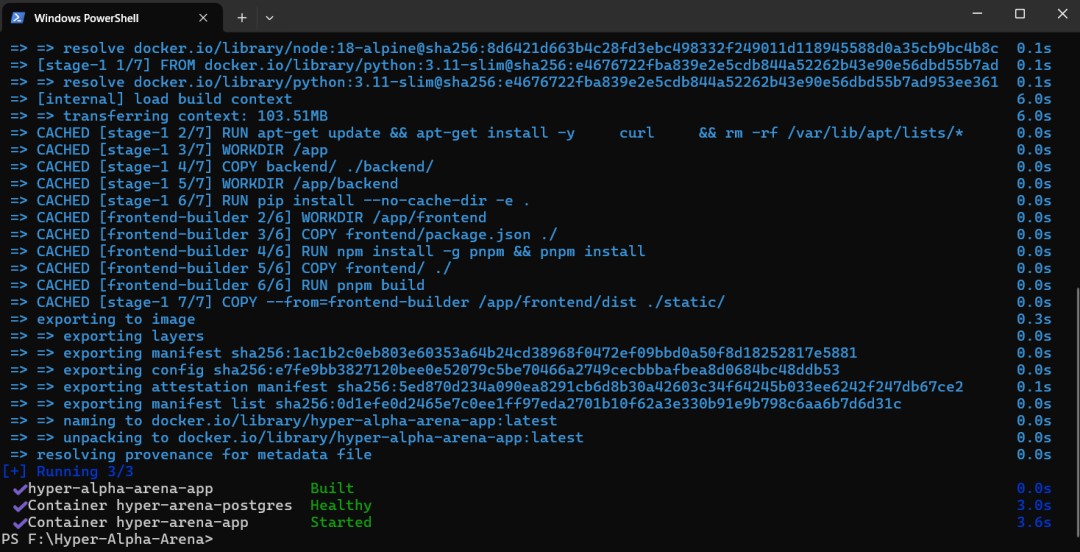
3. Wait for Build to Complete
The first build needs to download dependencies and may take 5-15 minutes depending on your network speed.
When you see a screen similar to this, the installation is successful:
Troubleshooting
Image Download Failed
If you encounter download failures for node:18 or python:3.12 during the build, you can pull these images separately:
# Pull dependency images separately
docker pull python:3.12-slim
docker pull node:18-alpine

# Then rebuild
docker compose up -d --build
Port Already in Use
If you get an error that port 8802 is already in use, check if another program is using that port, or modify the port mapping in docker-compose.yml.
Access the Application
After installation, open your browser and navigate to:
http://localhost:8802You can now start using Hyper Alpha Arena!
Next Steps
After installation, continue reading Getting Started to learn how to configure and use the platform.