Signal Pools
Signal Pools allow you to trigger AI trading decisions based on specific market conditions, rather than simple scheduled triggers. This section will guide you through creating and managing signal pools.
Creating Signals
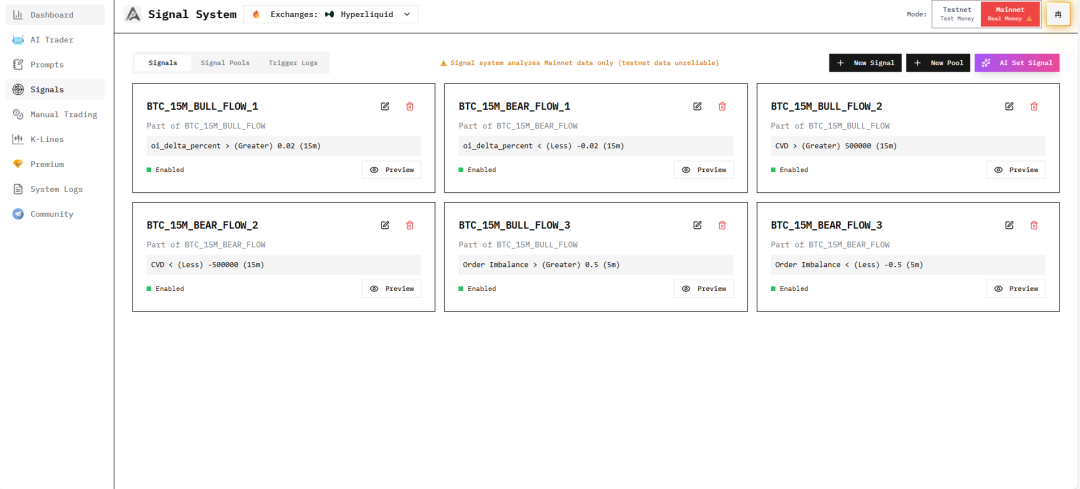
In the Signals interface, you can create market signals that need to be monitored.
Configuring Signal Pools
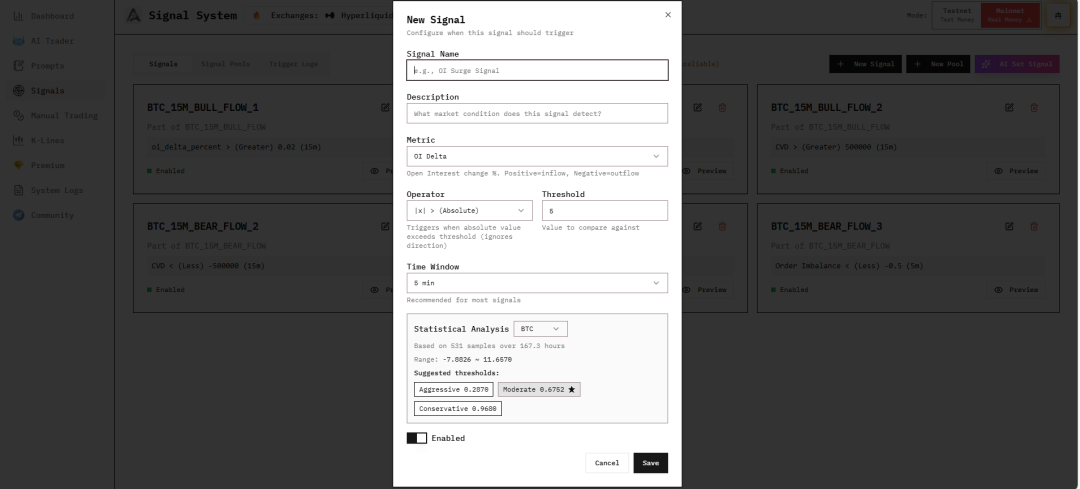
In the signal pool interface, combine created signals into signal pools.
Trigger Logic
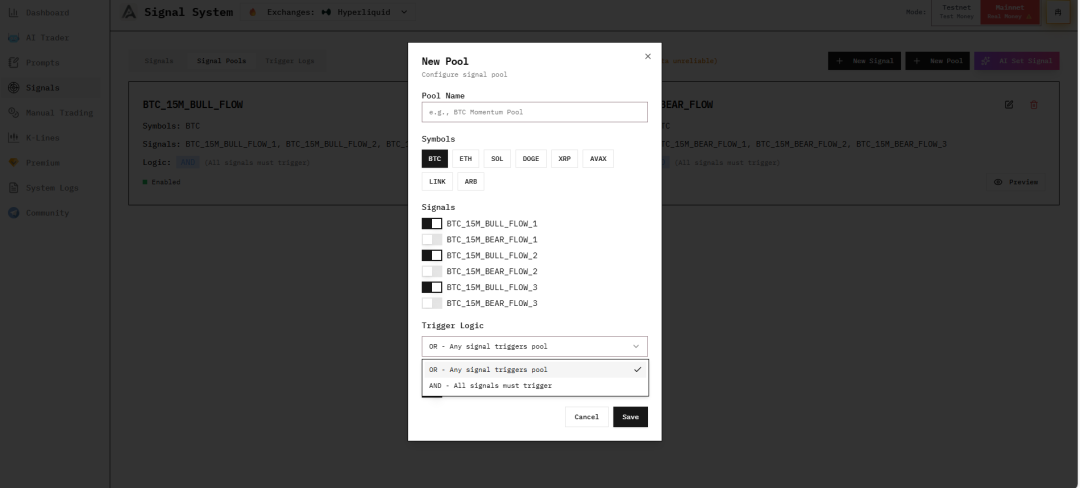
You can choose the trigger logic for signals:
- OR (Any Match): Triggers when any signal meets the condition
- AND (All Match): Triggers only when all signals meet the conditions
AI-Assisted Signal Pool Creation
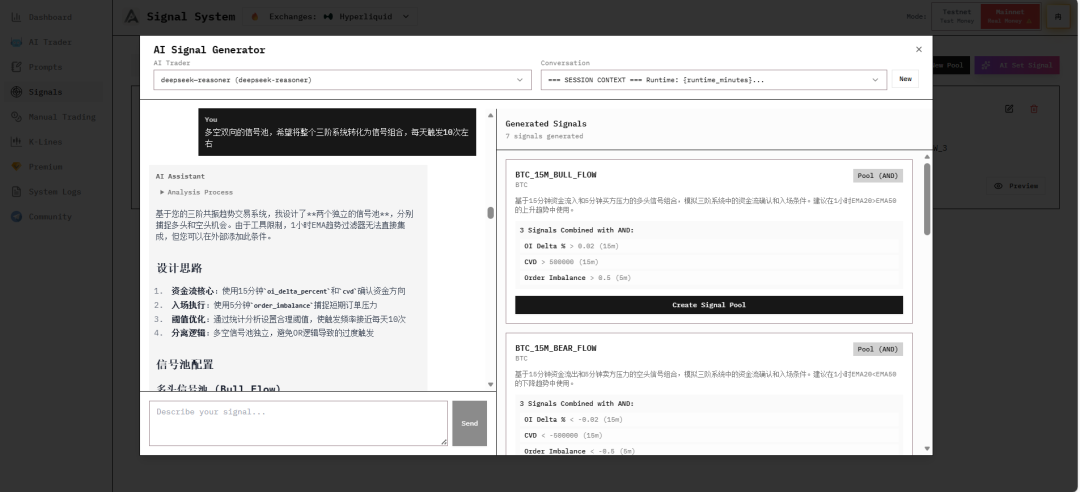
Using the AI assistance feature, the system will automatically:
- Create signals based on your requirements
- Perform historical backtesting
- Adjust monitoring data size
- Optimize until requirements are met
Backtesting and Preview
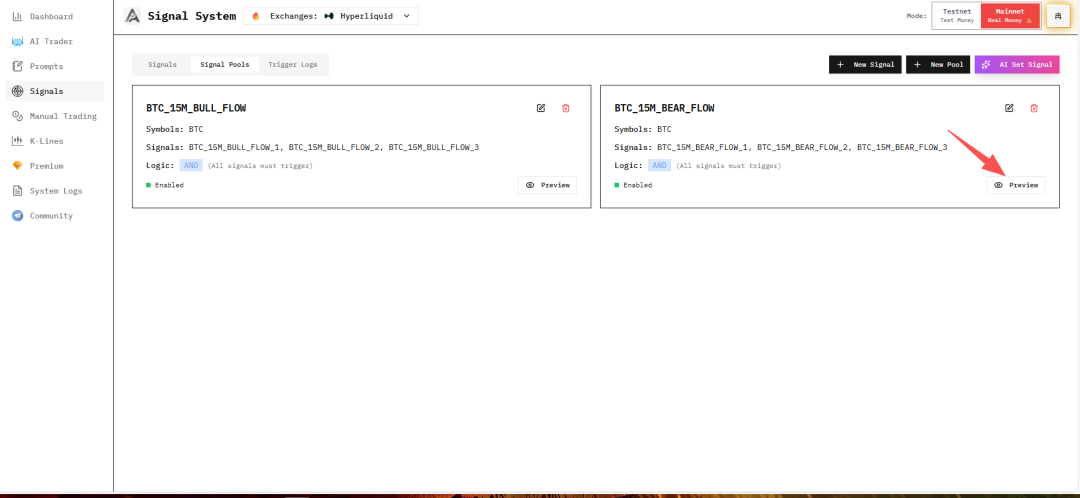
After AI outputs results, click Create Signal Pool, then you can:
- Preview backtest results
- View historical trigger time points
- Evaluate signal pool effectiveness
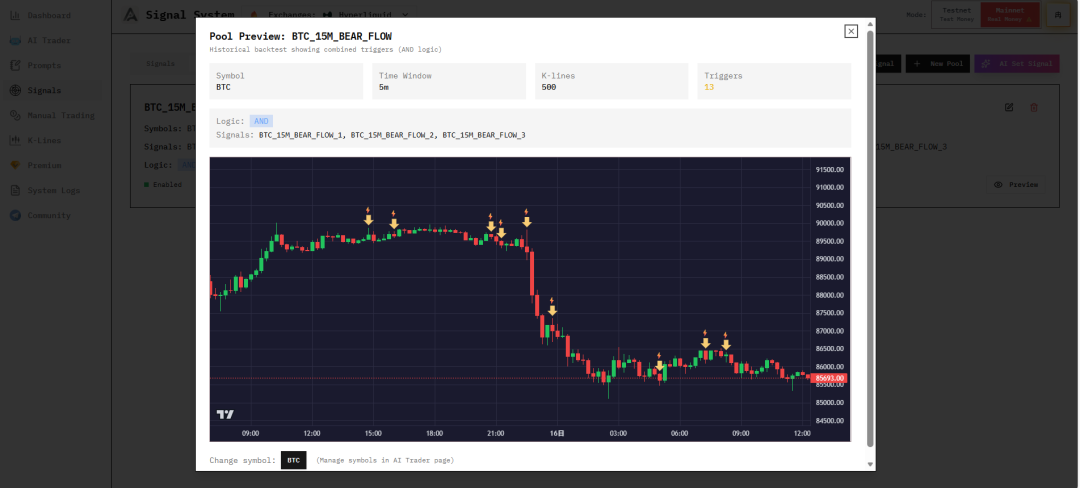
Viewing Trigger Logs
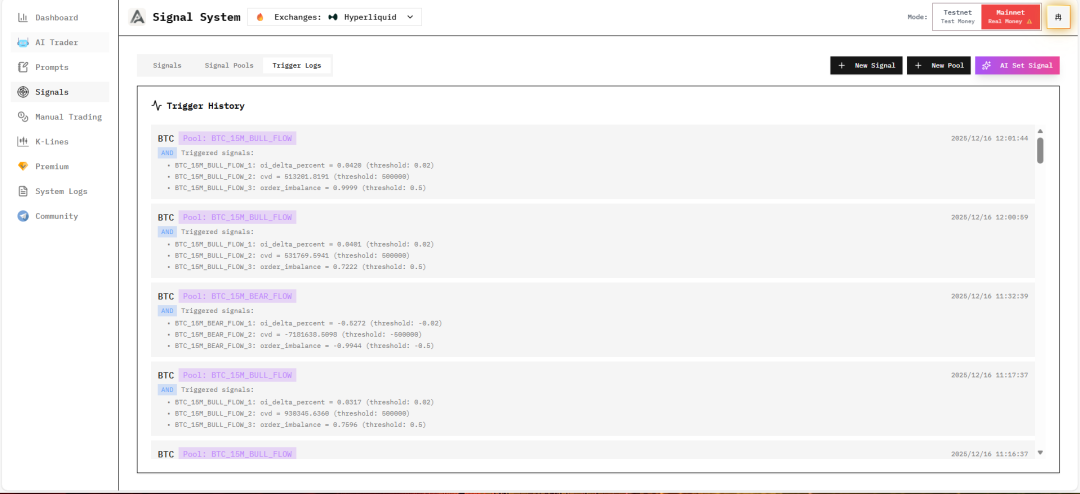
You can view the trigger logs of signal pools during use at any time to determine if signal pool monitoring data needs to be modified.
Next Steps
After completing signal pool configuration, continue learning:
- Dashboard & Monitoring - Monitor trading performance
- FAQ - Common problem solving