Prompts & Strategies
Prompts are the "brain" of AI Traders, defining how AI analyzes market data and makes trading decisions. This section will guide you through creating and managing trading strategies.
Prompt Management Interface
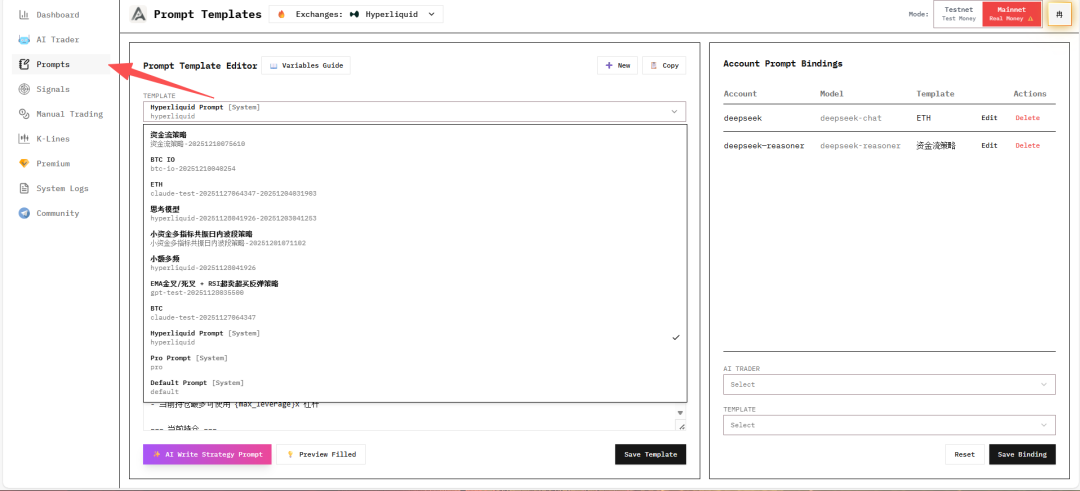
In the Prompts interface, you can:
- Create New Prompts: Write custom trading strategies
- Copy Prompts: Create variants based on existing strategies
- Delete Prompts: Remove custom-created strategies
- System Default Strategies: Three built-in strategies (cannot be deleted)
Variable Reference Guide
The system supports various market data variables that you can reference in your strategies:
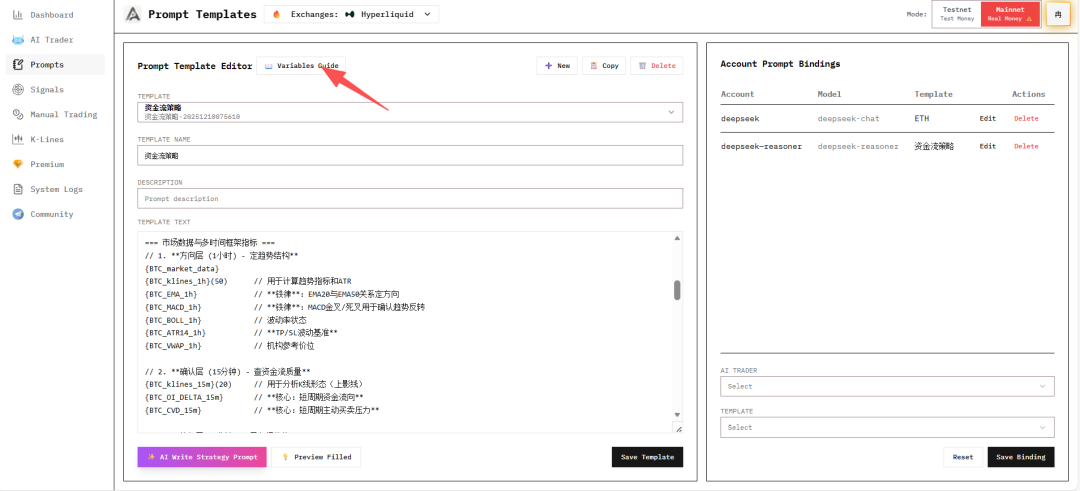
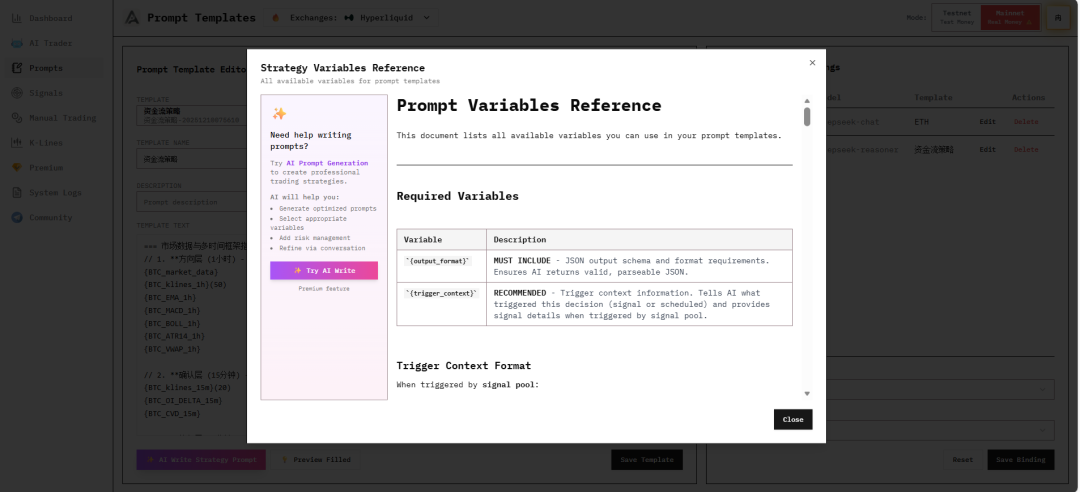
Refer to the variable guide documentation to understand the various data types and usage methods supported by the system.
Manual Strategy Writing
You can manually write trading strategy prompts based on the variable reference guide.
Note
When writing strategies, ensure the logic is clear and includes explicit buy/sell/hold conditions.
AI-Assisted Strategy Generation (Premium Feature)

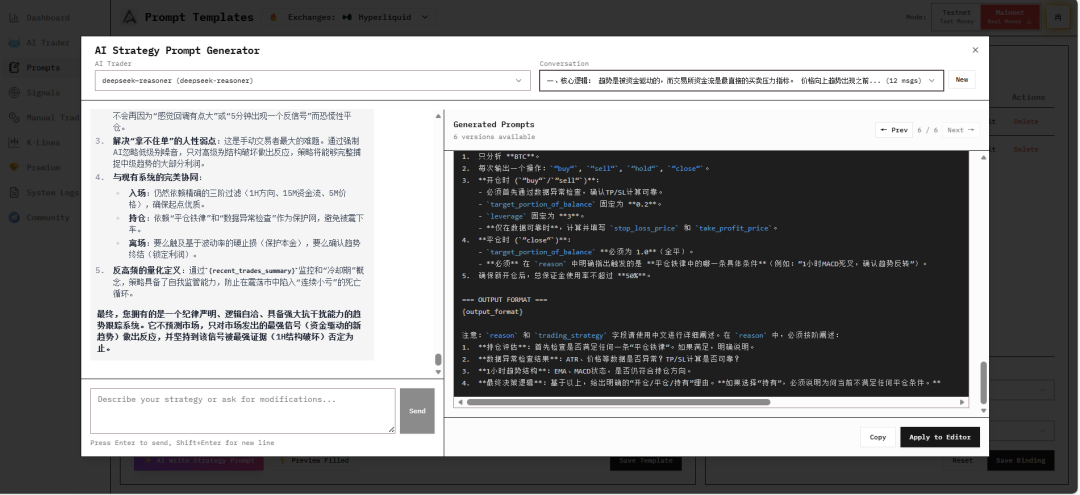
Using the AI assistance feature, the system will automatically generate strategy prompts based on the variable reference guide.
After generation, you can choose to:
- Copy: Copy the generated strategy to clipboard
- Replace: Directly replace the currently edited prompt
Note
AI-generated strategies are for reference only. It's recommended to adjust and optimize based on actual needs.
Saving Strategy
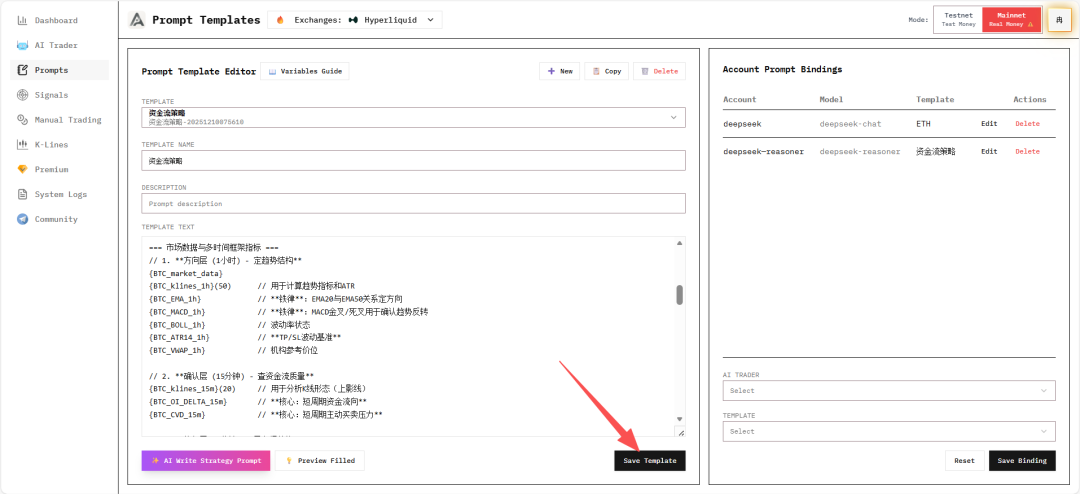
After editing the prompt, be sure to click save, otherwise modifications will be lost.
Preview Filled Results
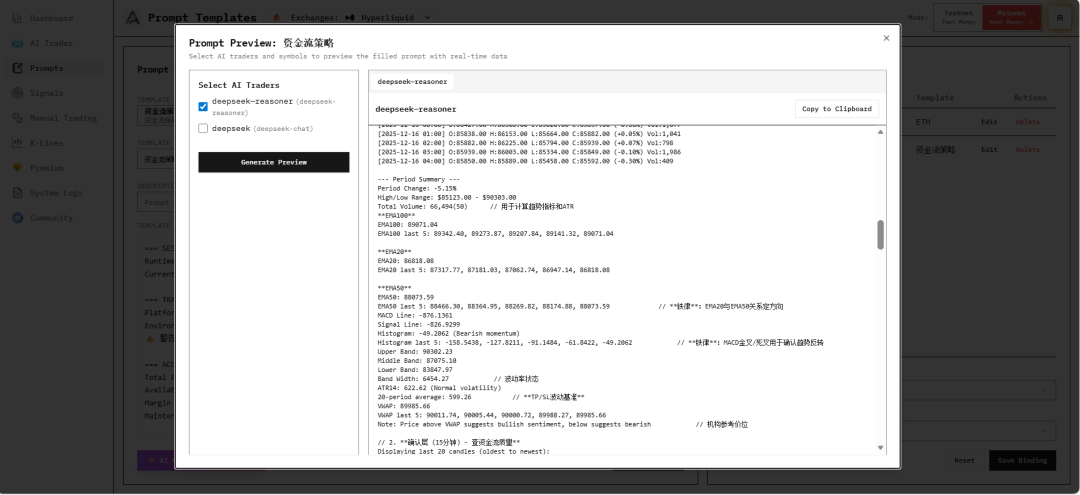
After saving, click Preview Filled to preview and check if all data is correctly retrieved.
In the preview interface, you can:
- Click Generate Preview to generate the prompt preview result
- View the prompt filling results in real-time, including account information, position details, and trading environment
- Verify if variables are correctly replaced
Note
The preview feature helps you verify strategy logic before actual trading, ensuring all data can be correctly retrieved.
Binding AI Trader
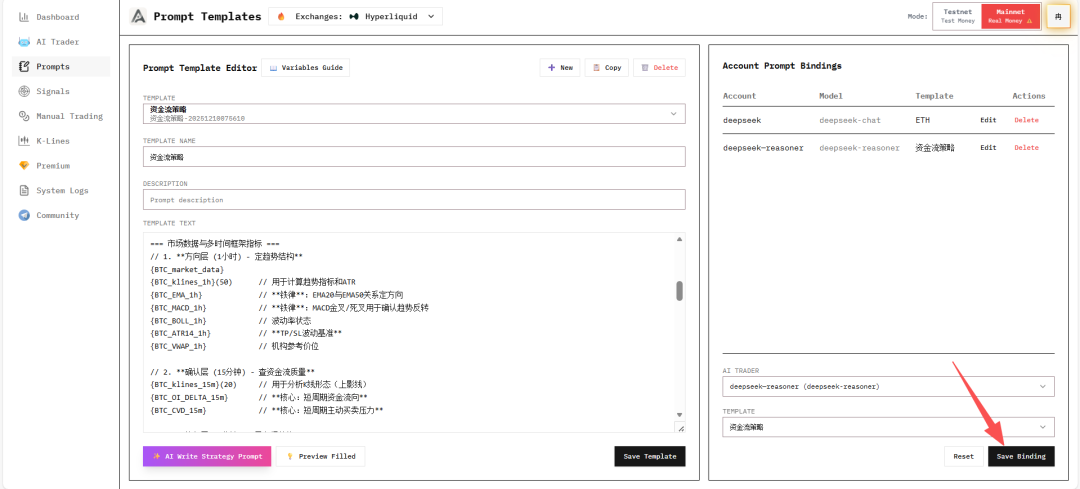
After confirming the prompt is correct, bind it to an AI Trader to let AI execute trades based on the strategy.
Strategy Writing Best Practices
1. Clear Trading Logic
Strategies should include clear:
- Buy Conditions: When to open long positions
- Sell Conditions: When to open short positions
- Hold Conditions: When not to operate
- Close Conditions: When to close existing positions
2. Use Supported Variables
Refer to the variable guide documentation to ensure all data variables used are supported by the system.
3. Set Risk Controls
Include in the strategy:
- Stop-loss conditions
- Take-profit targets
- Maximum position limits
- Leverage usage rules
4. Test and Optimize
- Test strategies on testnet environment first
- Observe AI's decision-making process
- Adjust strategy parameters based on performance
- Gradually optimize strategy logic
Next Steps
After completing strategy configuration, continue learning:
- Signal Pools - Configure signal triggers
- Dashboard & Monitoring - Monitor trading performance